Wireframes vs. High-Fidelity Prototypes
Quick Summary
Wireframes and high-fidelity prototypes are essential tools in the design process, each serving different functions. Wireframes are basic, grayscale layouts that focus on the structure and flow of a project. They are particularly useful in the early stages of planning and help align team members on the project’s direction. On the other hand, high-fidelity prototypes are more detailed and interactive, simulating user interactions and providing a clearer visual representation of the final product. Both tools are crucial for identifying and resolving design issues early, thereby saving time and money during the development process.
Wireframes and high-fidelity prototypes are two key tools in the design process, each serving a distinct purpose. Wireframes focus on structure and layout, while high-fidelity prototypes simulate user interactions and visuals. Both are crucial for saving time and money by catching design issues early. Here’s a quick breakdown:
- Wireframes: Simple, grayscale layouts that define structure and flow. Best for early-stage planning and aligning teams.
- High-Fidelity Prototypes: Detailed, interactive models that mimic the final product. Ideal for usability testing and stakeholder presentations.
Quick Comparison:
| Factor | Wireframe | High-Fidelity Prototype |
|---|---|---|
| Fidelity | Low (basic shapes, grayscale) | High (real visuals, branding) |
| Interactivity | Minimal or static | Fully interactive |
| Purpose | Defines structure and layout | Tests usability and user experience |
| Content | Placeholder text and visuals | Realistic or finalized content |
| Time & Cost | Quick and inexpensive | More time-intensive |
| Audience | Designers, internal teams | Stakeholders, end-users |
Start with wireframes to establish the basics, then move to high-fidelity prototypes to refine and test the design. This step-by-step approach prevents costly errors and ensures a smoother development process.
What Are Wireframes?
Definition and Characteristics
Wireframes are the building blocks of your digital product’s design. Think of them as a stripped-down blueprint that outlines the structure of a page or screen. They focus on arranging elements, organizing content, and mapping out the flow of the interface – without getting bogged down by visual details.
These schematics are intentionally minimal. They skip colors, typography, and branding, sticking instead to grayscale boxes, lines, and placeholder text. By doing this, wireframes emphasize what goes on the page and where, rather than how it will eventually look.
Benefits of Wireframes
One major advantage of wireframes is how quickly and affordably they can be adjusted. Making changes to a wireframe takes hours, compared to the days it might take for finished designs or weeks for a fully developed product. In fact, companies that incorporate wireframing and prototyping into their process can cut overall development costs by up to 33%.
Wireframes are also excellent for aligning stakeholders. They provide a shared visual reference that helps teams agree on layout, content priorities, and key functionality – long before any code is written or visual elements are finalized. This reduces misunderstandings and ensures everyone is on the same page.
“Engineering is not the enemy. Spec gaps are. And spec gaps are a UX problem, not an eng problem.” – Camellia, Principal Product Marketing Strategist, Rework
When and How to Use Wireframes
Wireframes are especially useful in the early stages of concept development, when ideas are still flexible and changes are relatively inexpensive. Start with quick hand-drawn sketches – spend just 2–5 minutes per screen – to explore different layout options. This step lets you experiment freely without overcommitting to any one idea.
Once you’re ready to move to digital tools, aim to spend 15–20 minutes per screen. This time limit keeps the focus on structure rather than getting caught up in unnecessary details. Using real content instead of placeholder text at this stage can also help identify potential layout issues that might otherwise go unnoticed.
After the structure is solidified, you can transition to high-fidelity prototypes to refine the design further and simulate user interactions.
What Are High-Fidelity Prototypes?
Definition and Characteristics
High-fidelity prototypes go beyond the basic structure of wireframes to deliver a near-complete user experience. These interactive models closely resemble the final product, incorporating accurate branding, visuals, and advanced interactions like button clicks, hover effects, animated transitions, and even dynamic elements like form validation or content changes. The purpose isn’t just to showcase how the product looks – it’s to replicate how it feels to use it. This level of detail allows teams to test and refine the user experience in a way that static designs simply can’t.
“A prototype isn’t a deliverable, it’s a disposable decision tool. The faster you’re willing to throw one away, the faster your product improves.” – Ronak Daga, UXMagic
Benefits of High-Fidelity Prototypes
High-fidelity prototypes are invaluable for catching costly design problems early. Identifying issues at this stage can save significant time and money by reducing the need for extensive revisions later. They also make stakeholder discussions more effective. When clients or executives can interact with a realistic simulation, they gain a much clearer understanding of the product. This often leads to quicker approvals, fewer revision cycles, and a smoother handoff to developers. With a detailed prototype as a reference, developers are less likely to misinterpret design intent, minimizing rework.
When and How to Use High-Fidelity Prototypes
High-fidelity prototypes are most effective in the later stages of the design process, after wireframes have established the basic layout and flow. This is the time to refine user interactions, test usability with actual users, and finalize visual elements before moving into development.
One key tip: don’t focus solely on the “happy path” (the ideal user journey). Include error states, loading screens, and empty states to address potential user frustrations early on. These additions can help you identify and solve problems before they escalate. Tools like Figma are widely used for creating high-fidelity prototypes. With its Professional plan priced at around $16 per editor per month, it’s a practical choice for many teams. To stay efficient, limit your hi-fi prototype iterations to two or three days to avoid over-engineering before validating your ideas.

Wireframes vs. High-Fidelity Prototypes
Side-by-Side Comparison
Wireframes and high-fidelity prototypes both play essential roles in the design process, but they serve different purposes. A wireframe focuses on answering, “What are we building?”, while a high-fidelity prototype asks, “Does this experience actually work?” Understanding this distinction helps you choose the right tool for the task.
| Factor | Wireframe | High-Fidelity Prototype |
|---|---|---|
| Fidelity | Low (basic shapes, grayscale) | High (real typography, brand colors, images) |
| Interactivity | Static or minimal | Fully interactive with animations and logic |
| Primary Purpose | Defines structure, layout, and content hierarchy | Validates usability and interaction design |
| Content | Placeholder text and visuals | Realistic or finalized copy and data |
| Target Stakeholders | Internal teams, designers, product managers | Executives, investors, and end-users |
| Cost & Time | Quick and inexpensive to create | More time-intensive and resource-heavy |
| Developer Utility | Limited (requires detailed specs) | High (can serve as living documentation) |
However, high-fidelity prototypes come with a caveat: their polished appearance can sometimes mislead stakeholders. A sleek design might give the impression that the project is near completion, even if the underlying logic or functionality hasn’t been validated.
“Fidelity often reflects confidence – the more precise something appears, the more time and effort it seems to have taken. Showing pixel perfection to decision-makers or end-users signals the work is nearly finished, which directly affects the feedback you get.” – James Cook, Design Operations Consultant & Mentor
How They Work Together
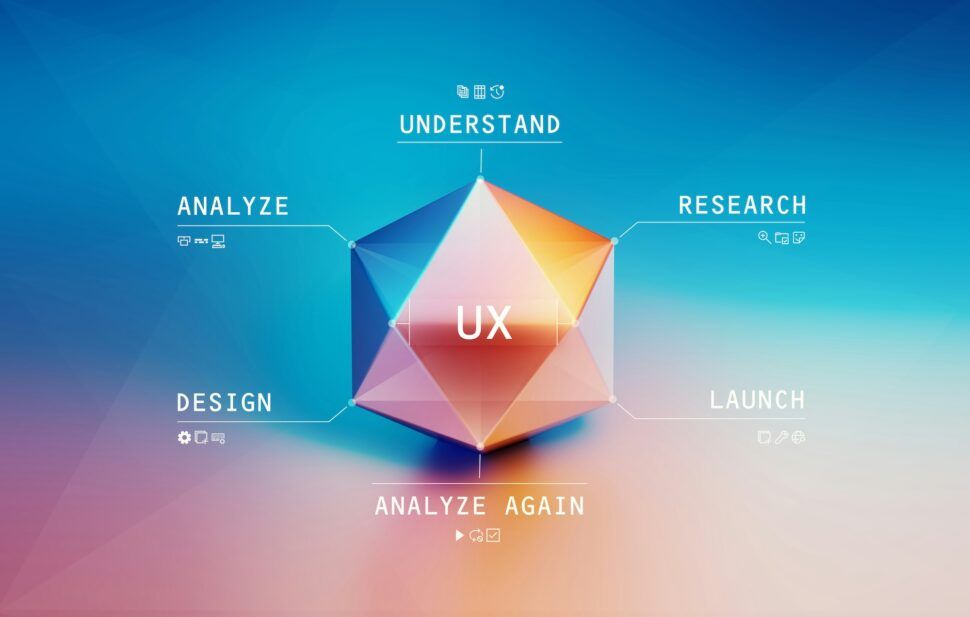
Wireframes and high-fidelity prototypes aren’t competing tools; they’re complementary steps in the UX design process. The journey typically moves from defining structure with wireframes to refining visuals and interactions with prototypes.
Think of a wireframe as an architect’s blueprint. It lays out the dimensions, layout, and logic of the design. In contrast, a high-fidelity prototype is like a detailed scale model – it allows stakeholders to interact with and experience the design in a tangible way. The wireframe establishes the groundwork, while the prototype tests how well that groundwork holds up under real-world conditions.
This progression is also a smart way to manage costs. Fixing a structural issue during the wireframe stage is quick and inexpensive. But addressing the same problem in a high-fidelity prototype – or worse, during development – can be up to 100 times more costly. Wireframes help catch critical issues early, making prototypes more effective at fine-tuning the user experience.
When to Use Wireframes vs. High-Fidelity Prototypes
Key Decision Factors
Deciding between wireframes and high-fidelity prototypes often comes down to one question: “How much do we already know?” If you’re still figuring out what to build and exploring ideas, wireframes are the ideal starting point. They’re quick, flexible, and perfect for shaping the foundational structure. On the other hand, when the layout is settled and it’s time to validate how the experience feels to users, high-fidelity prototypes step in as the better option.
A good rule of thumb? Use the simplest tool that clarifies your next decision. For instance, if you’re deciding on layout or content organization, wireframes will do the job. But if you’re testing whether a checkout process feels intuitive, a prototype becomes essential.
The type of stakeholder you’re working with also matters. Engineers and product managers can work effectively with wireframes to discuss logic and feasibility. However, executives or investors often need high-fidelity prototypes to visualize the vision clearly – especially in branding or digital design projects where visuals play a major role in securing buy-in.
Budget and timeline are other critical factors. Creating a wireframe takes about 15–30 minutes per screen, while high-fidelity prototypes may need 4–8 hours per screen. For larger projects, that time difference adds up. Starting with wireframes keeps early decisions quick and cost-efficient, leaving more time and resources for refining and validating the final experience.
| Scenario | Recommended Tool | Reason |
|---|---|---|
| Early ideation | Wireframe | Quick to create and easy to adjust |
| Internal logic review | Wireframe | Focuses on flow rather than visuals |
| Investor or executive pitch | High-fidelity prototype | Showcases vision and builds confidence |
| Usability testing | High-fidelity prototype | Simulates real user interactions |
| Developer handoff | High-fidelity prototype | Provides precise visual and functional specs |
| Simple, low-risk updates | Wireframe only | Prioritizes speed and efficiency |
Practical Scenarios in Branding and Digital Design
Take the example of a company launching a new e-commerce site. A smart first step would be to create wireframes for key pages – like product listings, the shopping cart, and checkout flow – without worrying about colors or branding. This phase is all about making structural decisions quickly and affordably. For instance, PostHog reported cutting their project preparation time by 50% using low-fidelity wireframes.
Once the structure is finalized, high-fidelity prototypes come into play. They’re particularly useful for testing high-stakes user journeys, such as the checkout process or onboarding flow, where even minor friction can impact revenue. These prototypes allow for realistic usability testing, helping to identify and fix interaction issues before development begins.
For branding and digital design projects, this two-phased approach is especially effective. Agencies like Visual Soldiers often start with wireframes to align teams on structure and user experience. High-fidelity prototypes then give clients a tangible, interactive preview of the final product. This approach not only reduces revision cycles during development but also ensures a smoother handoff and minimizes the risk of costly post-launch fixes. By tackling design in stages, teams can work more efficiently and deliver results that align with both client expectations and user needs.
Great digital experiences don’t start with code.
They start with a clear understanding of your users, their journey, and how every interaction should work. Visual Soldiers combines UX strategy, wireframing, and high-fidelity design to turn ideas into validated digital experiences ready for development. Ready to bring your next digital experience to life?
Book a Discovery CallConclusion
Wireframes and high-fidelity prototypes work hand in hand, making it easier to validate designs by defining intentions clearly and testing how users interact with them. Each phase serves a distinct purpose – wireframes lay out the structure and flow, while prototypes refine the details, ensuring the design functions as expected.
From a cost perspective, using both tools is a smart move. Fixing a mistake after development can cost up to 100 times more than addressing it during the design phase. High-fidelity prototypes, when applied thoughtfully to critical areas like onboarding or checkout, can even cut project costs by 20% to 30%.
At Visual Soldiers, this step-by-step process is a core part of their workflow. They start with wireframes to define the foundation, then transition to high-fidelity prototypes to fine-tune the design and interactions before moving into development. This approach not only keeps costs in check but also speeds up project timelines. By layering these methods, they ensure smoother development and build trust with stakeholders.
“Their workflow is very simple and the communication is great. Can’t recommend them enough!” – Justin Levy, VP of Marketing, Tao Group Hospitality
FAQs
Not necessarily – your decision should align with your objectives and audience. Wireframes serve as structural layouts, perfect for outlining the scope or quickly testing concepts. On the other hand, high-fidelity prototypes mimic the end-user experience, making them ideal for usability testing or gaining approval from stakeholders. Whether you focus on structure or user interaction, you can choose one or both. Many teams often integrate them for a more comprehensive design approach.
Switch to high-fidelity prototypes only after you’ve validated your core concepts, information architecture, and user flows using low-fidelity wireframes. This transition should happen once the structural framework is solid and you’re ready to:
- Perform in-depth usability testing.
- Gain approval from stakeholders.
- Offer developers a clear, interactive guide for implementation.
Jumping to high fidelity too soon can backfire. It may make structural adjustments harder or divert attention to visual design before functionality is fully nailed down.
A well-designed high-fidelity prototype does more than just showcase the ideal user journey. It incorporates different user states, such as empty states for first-time users, loading indicators to manage delays, and error handling for scenarios like API failures or validation errors. It’s also important to consider factors like varying permission levels (e.g., admin versus guest access), edge cases (such as unusually long text or extreme input values), and responsive layouts to ensure the design works seamlessly across multiple screen sizes.

Visual Soldiers
Visual Soldiers is an Atlanta-based creative studio specializing in branding, design & digital experiences.